04 / 10 · Desktop AI rendering app
quickRender
Desktop app that turns a 3D scene into a photorealistic render with AI.
- Releases
- 52
- Upscaling
- 4× local
- Languages
- hr · en
- Stack
- Electron 38 · React 19
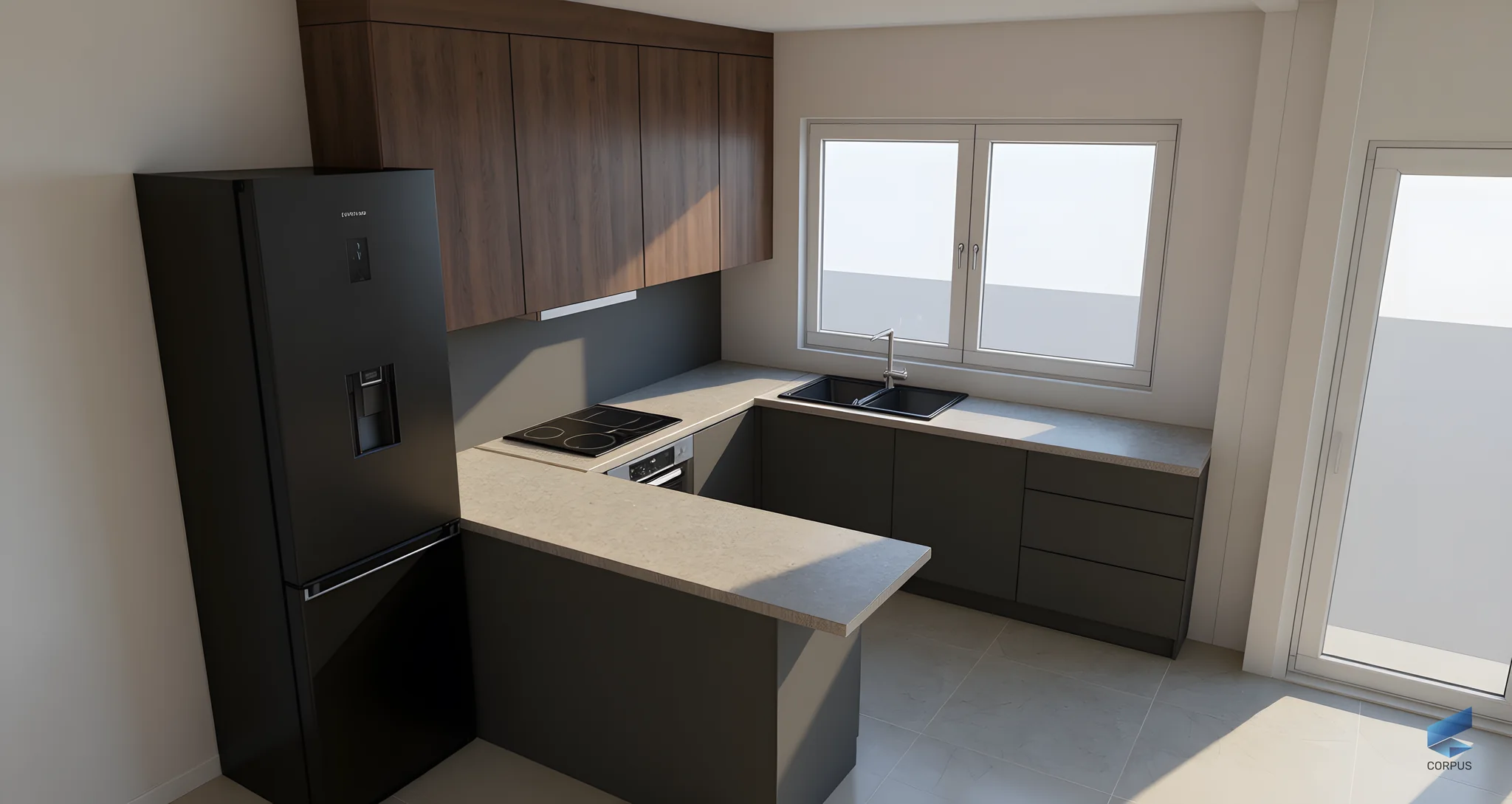
quickRender is an Electron desktop app for designers who work in Corpus. They drop in a screenshot of their project and get a photorealistic render with the same layout, materials and camera. Any render can become the reference for the next one, so the designer iterates instead of starting over.
I built it alone, from the first line of code to the release feed, including billing and licensing.
Context
- Designers show customers kitchens and wardrobes from Corpus, but a CAD screenshot does not sell a kitchen. A proper render used to mean exporting to another program and hours of setup. Corpus wanted a tool where a render is one drag and drop away, and where usage can be sold by the render.
What I built
- The Electron app: drag-and-drop input, prompt modes for realism, style direction and added objects, history with a fullscreen lightbox.
- The render pipeline: Alibaba DashScope qwen-image model, local 4× upscaling with Real-ESRGAN, automatic translation of the designer's notes to English.
- Usage limits per device enforced server-side with Supabase RPC functions and RLS, with a live usage badge in the app.
- Stripe Checkout billing for monthly plans and non-expiring top-up packs, with the callback handled by a local Electron server.
- Device licence validation with a Corpus key, split env setup so no secret ships in the packaged build, and the auto-update feed.
How it works
- The app reads the Corpus screenshot, sends it with the chosen prompt mode to the image model and shows the render in seconds.
- Real-ESRGAN runs locally after each render, so the designer gets a 4× image without another network call.
- Every render is saved in the history and can be the reference for the next one.
- The device, its licence and its remaining renders are checked by Supabase before every job.
Screens
Screens show demo data.
What goes in: a screenshot from Corpus. What comes out: the same room, same camera, rendered.
Outcome
- 52 releases shipped through the public auto-update feed.
- Renders keep the layout, materials and camera of the Corpus project.
- Interface in Croatian and English.